You post a great listing video. A dozen people comment “price?” and “is this still available?” By the time you see those comments, some of them are hours old. A few of those people have already moved on, and you’re left typing the same answer over and over.
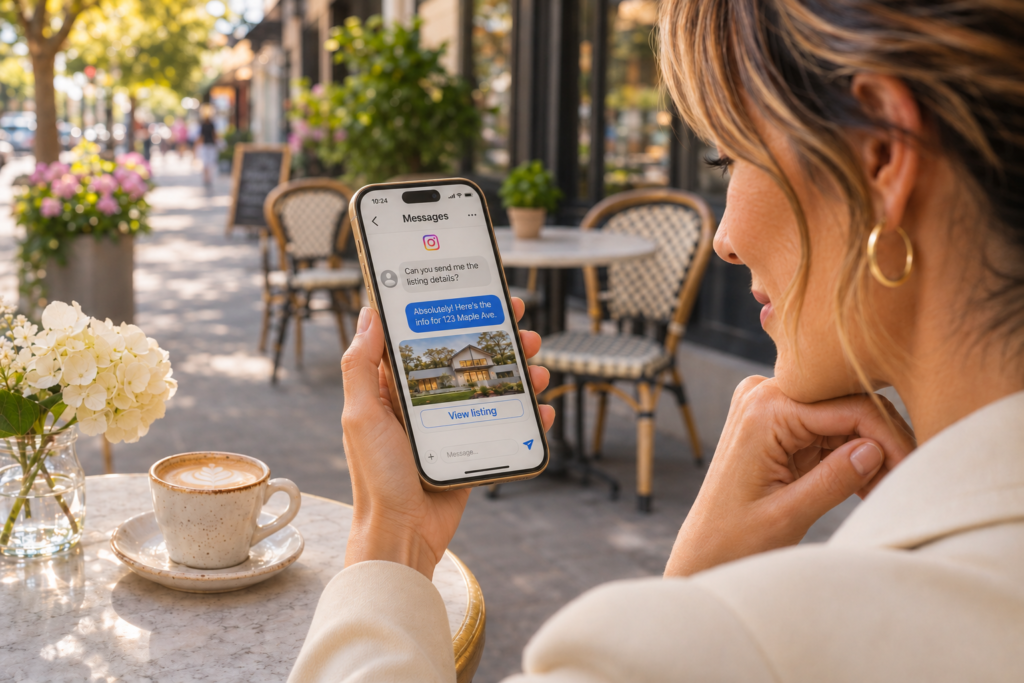
Manychat is built to fix that exact problem. It’s a tool that replies to people automatically on Instagram (and other platforms, like Facebook Messenger) the moment they take an action, so the conversation starts while they’re still interested. If you’ve heard agents mention it and weren’t sure what it actually does, here’s a plain-English walkthrough.
What Manychat Actually Does
At its core, Manychat runs on triggers. Something happens, and Manychat responds with a message you’ve already written. The most common triggers for agents are:
- A comment with a keyword. You post “Comment GUIDE and I’ll send you my first-time buyer guide,” and anyone who comments that word gets a private message with the guide.
- A keyword sent in a DM. Someone messages you “TOUR,” and Manychat replies with the details you set up for that word.
- A reply to your Instagram Story. A story reply can start an automated conversation, too.
One important thing to know: the automation starts because the other person did something first. They comment, they reply, or they message you. Manychat isn’t a tool for blasting messages at strangers. It’s a tool for answering people who have already raised their hand.
What You Need to Get Started
Not much. You need an Instagram professional account (a business or creator account, which is free to switch to in your Instagram settings) and a Manychat account. You connect the two through Meta’s official login, and Manychat can start working with your account.
Five Ways Agents Use It Day to Day
- The buyer or seller guide. Post about your first-time buyer guide, your home-selling checklist, or your neighborhood guide. Ask people to comment a keyword, and Manychat sends the link instantly. You’ve just turned a casual scroller into a lead who knows how to reach you.
- New listing details. Post the listing and invite people to comment “TOUR” or “DETAILS.” Manychat can send the price, the highlights, and a link to the full listing page or a way to book a showing.
- Open house RSVPs. Instead of fielding the same questions in the comments, send people a short message with the address, the time, and a link to RSVP.
- Quick lead qualification. Manychat can ask simple questions inside the conversation, like whether someone is buying or selling and what their rough timeline is. When a real conversation is worth having, you step in with that context already in front of you.
- Instagram Live. During a Live, ask viewers to comment a keyword to get a resource or listing link sent straight to their inbox.
A Simple Setup, Step by Step
The exact buttons change from time to time, so treat this as the general shape rather than a click-by-click script.
- Create a Manychat account and connect your Instagram professional account.
- Go to the Automations section and start a new automation using the comment-to-DM template.
- Pick which post it applies to, or choose a future post.
- Choose your keyword. Keep it short and easy to type, like GUIDE, TOUR, or HOME.
- Write your first message. Keep it friendly, short, and specific to what they asked for, and include the link or answer they came for.
- Test it from a second account, then turn it on.
What Separates the Setups That Work From the Ones That Don't
Plenty of agents build an automation and never get a single useful conversation out of it. A few habits make the difference.
Start narrow. One post, one keyword, one outcome. Prove that it works before you build anything more complicated.
Make the call to action impossible to miss. The post itself has to tell people what to do, such as “Comment GUIDE and I’ll send it over.” If the instructions are buried in a long caption, people won’t see them.
Keep the first message short. Give people what they asked for first. Save the questions for the second message.
Check your inbox anyway. Automation handles the first reply, not the relationship. When someone responds with a real question or shows real interest, answer personally and promptly.
Be upfront that it’s automated. A line like “This is an automatic reply, but I’ll follow up personally” sets the right expectation and protects your credibility.
Compliance Notes for Agents
Because this is real estate, a few extra guardrails are worth following. Keep automated replies to facts about the listing and links to your resources. Avoid using automation to answer questions about who lives in a neighborhood or what kind of buyer “fits” a place, since that can drift into fair housing territory. And before you add anyone to email or text follow-ups, make sure you have their permission and that your process lines up with your brokerage’s policies. When in doubt, ask your broker.
A Note on Cost
Manychat has a free plan, but it’s designed mostly for testing. Paid plans are priced by how many people your automations reach in a month, and the plan structure has changed recently, so check Manychat’s pricing page for the current options before you commit.
Where This Fits in Your Bigger Plan
Manychat is the engine that starts the conversation, but it still needs something to start from: a post worth commenting on. That’s where the rest of your toolkit comes in. In PorchLyte, Camera Roll to Caption can turn a photo from your day into a post with a built-in keyword call to action, Listing Launchpad gives you a full set of listing content to promote, and Content Coach helps you see which posts are actually getting people to engage. Once someone gives you their email, Email Campaigns can help you create a follow-up sequence in your own voice.
Put together, you get a simple loop: post something useful, let Manychat handle the instant reply, and follow up personally with the people who want to talk.